Lectures Become Notes By Themselves
Record a thought or a lecture recap and Mindly transcribes, tags, and files it while you keep listening.
For Students
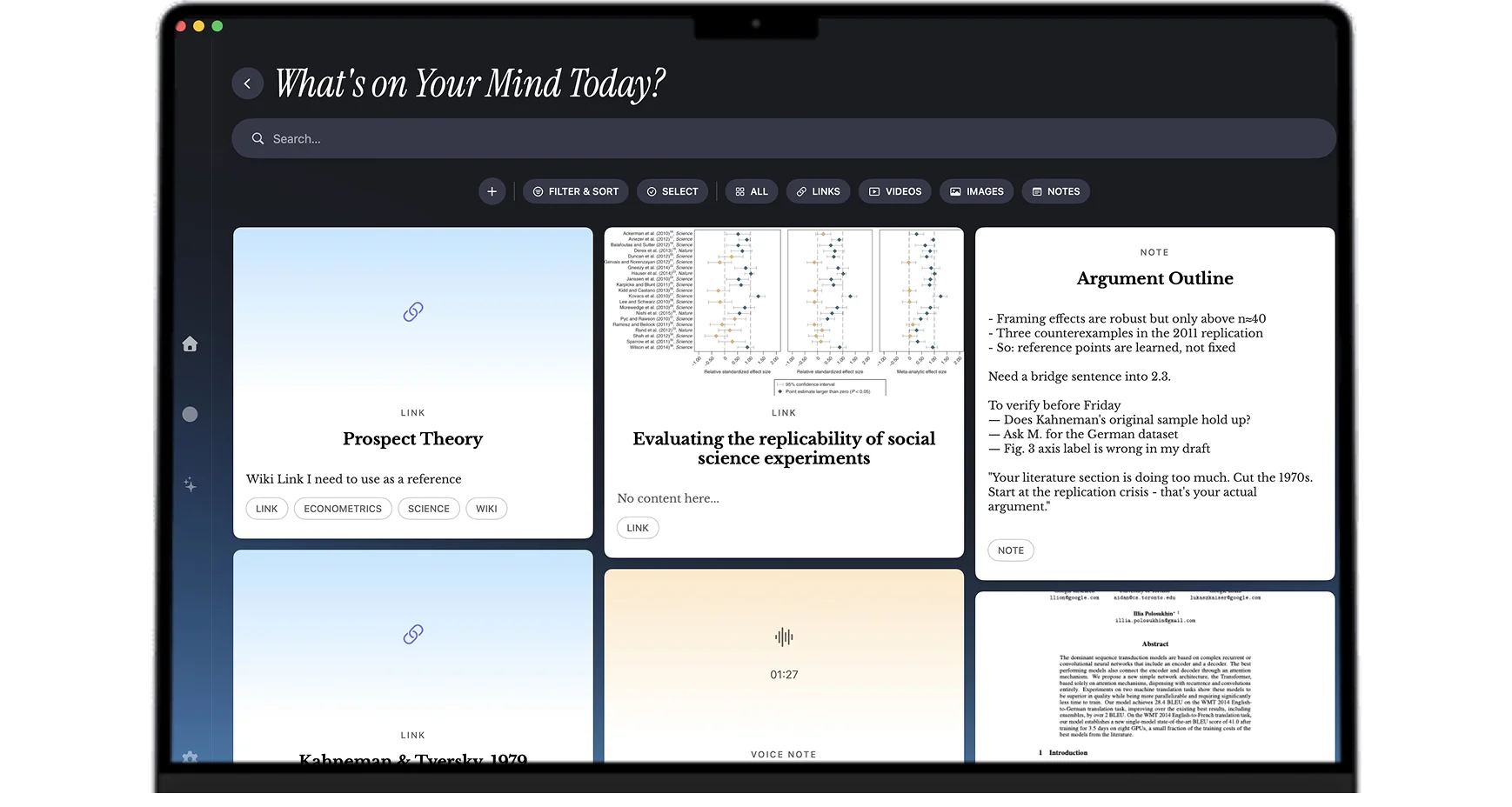
Lectures, slide PDFs, textbook chapters, and voice memos go in with one shortcut. Mindly turns them into one searchable library, so exam week starts with everything already organized.
What you get
Capture lectures, PDFs, and half-formed ideas in seconds. Mindly turns them into a searchable study system on its own.
Record a thought or a lecture recap and Mindly transcribes, tags, and files it while you keep listening.
Drop in readings and lecture decks, then ask questions in plain language instead of rereading everything before the exam.
Search across every note, file, and link you saved all semester. One query beats twenty folders.
Every save gets tagged and summarized automatically, so the system stays clean even in exam week.
Student-friendly setups
Start a recording at the beginning of class. Type notes alongside the recording when something clicks. Screenshot slides as they appear on the projector. Mindly transcribes the audio in the background, links the slide screenshots to the timestamp, and puts the whole bundle in your library under the right course tag. Reviewing one lecture the night before an exam goes from forty-five minutes of scrubbing to five minutes of skimming.
Drop assigned PDFs, textbook chapters, articles, and YouTube explainers under one course or topic. AI summarizes the long PDFs so you can scan the gist before deep reading. The full text gets indexed, so a specific passage two weeks later is one plain-language search away rather than a Cmd+F crawl across forty browser tabs.
A few days before a final, search by course or by concept. Lectures, readings, and your own notes from across the semester appear together. Use the mind map to spot the connections you missed first time around. Sketch concept maps on the fly by dragging related items into clusters. The revision week stops being chaos and becomes a guided walk through the material.
Interesting tangents from a lecture (a paper the professor mentioned offhand, a side topic that caught your attention, a career idea sparked by the syllabus) get their own little thread without polluting the main course folder. Some of them turn into your dissertation topic, your summer internship, or the thing you write your personal statement about. The catch matters because the spark matters.
Voice-memo the post-meeting recap so you do not lose the decisions from a group project call. Save the shared Google Doc as a snapshot inside Mindly so the version you saw at the meeting stays linked to your notes about it. Tag everything by group name and project. When the deliverable is due, your part of the work has the context you need without chasing four people on Slack.
College is also when most people start thinking seriously about careers, internships, scholarships, and the rest of life. Mindly is built for that too. The same library holds your course material and your career notes, your research ideas and your scholarship application drafts, your reading list and your project portfolio. One second brain for the four years instead of four apps that drift apart over time.
Common questions
For students who take notes in multiple formats (typed text, slide screenshots, PDFs, voice recordings, saved articles) and want them organized automatically by the time finals arrive, Mindly is the closest fit. The advantages over Notion or Obsidian for student use are that there is no system to design before you can start, AI handles tagging and summarization, voice memos get transcribed automatically, and the library opens offline when campus Wi-Fi is unreliable. Apple Notes is a fine choice if you only need typed text and nothing else; Mindly starts to matter when your study workflow involves more than one format.
Notion is a workspace builder that asks you to design databases and templates before it earns its keep. Obsidian is a Markdown vault that rewards plugin customization. Both can be configured into a useful student tool but require hours of setup that most students do not finish. Mindly skips that step. The app opens to a clean library, the capture shortcut works immediately, and the AI handles the organization that Notion expects you to design and Obsidian expects you to wire by hand. The trade-off is less customization in exchange for the system actually being usable from day one.
No. Your library lives in a Mindly directory on your Mac, not on a vendor server. If you cancel Pro, the items you saved are still on your computer in a readable format. Items beyond the free tier limit become read-only until you upgrade again or export them. Mindly can export your library to standard formats so you can move it elsewhere if you ever want to. The notes you take as a student are yours and survive any change in subscription.
Free tier covers casual use up to 25 items. For a heavy semester, the 25-item limit fills up quickly. Pro at €7.99 per month or €44.99 per year removes that limit, adds priority AI processing, unlocks voice transcription, and gives access to themes and smarter suggestions. The annual plan works out to less than four euros per month, which is below the price of one coffee per week. For students who take many notes across multiple courses, it tends to pay back in time saved during exam weeks alone. For students who only need a handful of notes per semester, the free tier is genuinely enough.
Yes. PDFs are first-class items in Mindly: the full text is indexed (including OCR for scanned PDFs), AI summarizes the long ones, and semantic search finds passages by what they discuss rather than by file name. For lab work, voice memos transcribe automatically so you can dictate observations without breaking sterility. For law and medicine where memorization of long texts matters, the search and AI summary combination tends to be the highest-leverage upgrade over a folder-based system. Engineering students who deal with mixed media (PDFs, code snippets, equations, diagrams, lecture recordings) get the same value from having everything in one searchable library.
Go deeper
The full playbook behind this page: the reasoning, the habits, and answers to the questions this page does not cover.
Read the guideCapture lectures, readings, and ideas in one shortcut. Mindly tags, files, and connects them for you. Free to start on macOS.