mindly
HomeDownloadPricingWhat's New
DownloadSign Up
HomeDownloadPricingWhat's New
DownloadSign Up

mindly

Your second brain powered by AI. Organize thoughts, connect ideas, and unlock your mind's potential.

Product

  • Home
  • Download
  • Pricing
  • Integrations
  • Methods
  • What's New
  • Contact
  • Account

For Your Needs

  • For Students
  • For Researchers
  • For PhD Students
  • For Writers
  • For Product Managers
  • For Knowledge Workers
  • For Designers
  • For Consultants

Comparisons

  • All comparisons
  • Mindly vs Notion
  • Mindly vs Obsidian
  • Mindly vs Logseq
  • Mindly vs Apple Notes
  • Mindly vs Evernote

Legal

  • Privacy Policy
  • Terms of Use

Connect

Product Hunt

Features

  • All Features
  • Capture
  • Chat With Your Documents
  • Auto-organize
  • Search
  • Explore
  • Suggestions
  • Voice

Popular Use Cases

  • All Use Cases
  • Second Brain
  • AI Second Brain
  • PDF Organizer
  • Meeting Notes
  • Bookmark Manager
  • Note Taking App for Mac
  • Research Notes App
  • Screenshot Organizer

Guides

  • All Guides
  • Build a Second Brain
  • Personal Search Engine
  • Why Your Second Brain Fails
  • Second Brain for Work
  • Declutter Your Digital Life
  • AI Note-Taking Apps

© 2026 mindly. All rights reserved.

Home/For Designers

For Designers

mindly for Designers

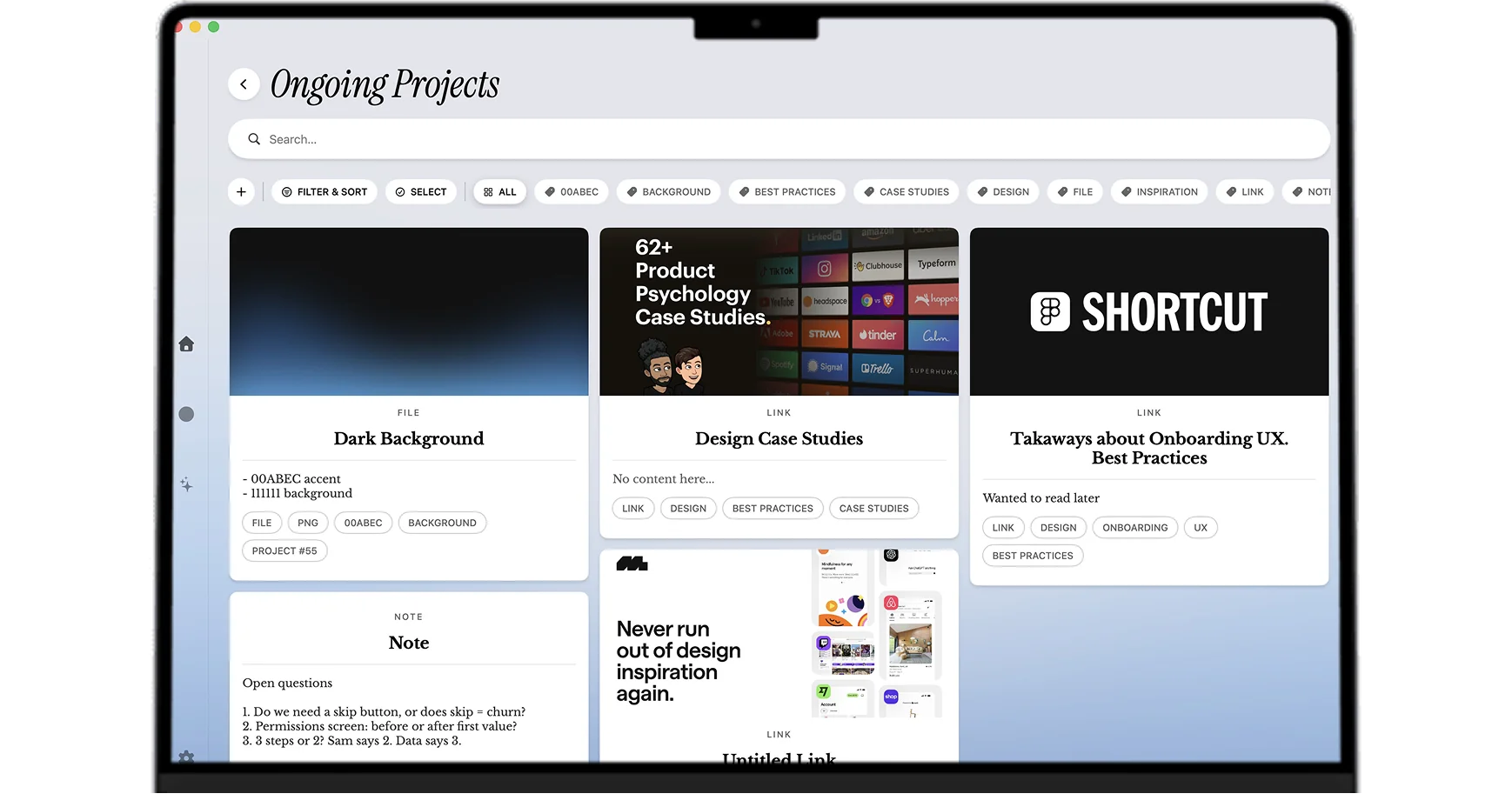
Screenshots you took at 1am, links to portfolios that move you, type pairings you want to remember, references for the project starting next month, color palettes you keep coming back to. Mindly captures them and AI sorts the visual signal into something you can actually pull from.


The short version

Why Mindly?

Designers have a specific reference problem. Inspiration arrives constantly, from everywhere, in many formats: screenshots from Dribbble and Are.na, links to portfolios, photos taken on a walk, magazine spreads photographed in a bookstore, type specimens, color samples, motion examples, packaging photos, museum captures, billboard photos. The act of saving is easy; almost every browser and app supports it. The problem is retrieval six months later, when a new brief lands and the right reference is somewhere in three different apps with no consistent organization.

Mindly is built for visual reference at scale. The capture flow is one keyboard shortcut from anywhere on your Mac, and the save handles screenshots, links, photos, and inspiration of any kind. AI tags by visual theme, color cue, content type, and mood. The reference you saved nine months ago because it had a beautiful gradient is findable when a new project actually needs a beautiful gradient, even if you have forgotten where you saved it from and what you might have named it at the time.

The second thing designers specifically benefit from is the mind map. Visual themes emerge from saved references before they emerge consciously. The portfolio you keep coming back to and the brutalist building you photographed in Berlin and the magazine spread you saved last spring might cluster around a visual direction you did not realize was forming in your taste. Mindly's mind map clusters items by AI-detected similarity, including visual similarity. The cluster often becomes the starting point for the next project's creative direction.

The third advantage is voice memos paired with visual references. The hardest part of using a reference library months later is remembering why you saved a particular image. The visual is there; the rationale is gone. Mindly lets you voice-memo a quick rationale next to any saved reference, and the transcript joins the item in the library. When you revisit the reference for a pitch six months later, the original rationale is right there: "what I liked here is the way the type sits below the eyeline" or "this is the color combo I want to steal for the financial brief".

The fourth thing worth saying is that the library lives on your Mac. Designers work with sensitive material constantly: client pitches that have not gone out, unannounced product designs, work for clients who require strict NDAs, references that are essentially competitive intelligence about other people's work. Mindly stores everything on your Mac. AI processing runs over encrypted channels and content is not retained on Mindly servers after the request. For the parts of design work that should not sit on Pinterest or a vendor cloud, the on-device default is the right architectural choice.

The fifth point matters for the practical question of how design taste actually develops. Taste is the slow accumulation of references plus the gradual recognition of what threads them together. A designer who saves references in a chaotic system never gets the second half; the references pile up but the pattern recognition that would turn them into a developed point of view does not happen. Mindly's mind map surfaces the patterns automatically. The personal aesthetic that has been quietly forming across years of saves becomes visible, which is exactly the thing that distinguishes a great designer from a good one.

The honest summary: Mindly is the second brain for designers in any discipline (product, brand, graphic, motion, industrial, UX research) who save visual references constantly and want one Mac-native library that tags them by visual theme, surfaces patterns across years of saves, and keeps the rationale alongside the image.


Why it fits design work

Why Mindly Works Through the Design Reference Firehose

  • One shortcut to capture images, links, screenshots, and photos from anywhere on your Mac. No separate moodboard app per project, no manual filing into a specific board on capture.
  • AI tags by visual theme, color cue, content type, and mood so reference recall is fast. The "I saved something with a gradient like this" memory becomes a real lookup rather than a vague mental search.
  • The mind map clusters inspiration into directions you can show clients or use as kickoff stimulus. The pattern across years of saves becomes a visible point of view rather than a hidden one.
  • Voice memos catch quick rationale next to a saved reference. The "why I liked this" context survives months and is right there when you revisit the reference for a pitch.
  • Library lives on your Mac, which keeps unreleased client work, pitch material, and competitive intelligence private. AI processing is encrypted and not retained on Mindly servers.
  • Works alongside Figma, Sketch, Pinterest, Are.na, Eagle, or whatever tools your design practice already uses. Mindly is the personal reference layer, not a Figma replacement.
  • Built to stay fast at thousands of images. The reference library at year five is more useful than the library at year one, not slower or more cluttered.
  • No design tax (ironically). The app opens to a clean library with no template gallery or board-creation ritual. You install it, press the capture shortcut, save your first reference, and the library already works.

Designer setups

Six Concrete Ways Designers Actually Use Mindly

Moodboard inbox

Capture references the moment you see them, without deciding which project they might belong to. Triage into project moodboards once a week, or leave them in the inbox and let AI surface them when relevant. The act of capture stays fast and the organization happens later when context is clearer.

Per-project moodboards

One bundle per active project: screenshots, links, type, color cues, photos taken specifically for the brief, and a few sentence rationale on each. The moodboard lives next to the project notes and the client brief in the same library, so the kickoff and the review conversations both have one place to start.

Inspiration map for personal aesthetic

Use the mind map periodically to spot recurring directions across what you save. The personal aesthetic that is forming across thousands of references becomes visible. For freelance designers and creative directors building a portfolio voice, this is the highest-leverage feature for clarifying the point of view.

Long-running reference library

Components, animation snippets, layout systems, design writing, type specimens, color theory references. The years-deep reference library that mid-career designers maintain stays searchable through AI tags. The component you remembered seeing on a Japanese e-commerce site three years ago is one query away.

Type, color, and layout specifically

AI tags surface the type pairing you saved in March when you need it in October. The color combination from a museum poster surfaces when you need a similar palette for a financial client. The grid layout from a magazine cluster surfaces when you start a publication project. Format-specific recall becomes routine.

Voice rationale next to the visual

Voice-memo your rationale on a reference as you save it. The "what I liked here was the way the type sits below the eyeline" context survives the months between capture and use. When you revisit the reference for a pitch, the rationale is there in your own voice rather than reconstructed from memory.


What makes it different for designers

Four Mechanics That Change How Design References Compound

  • AI tagging by visual theme, not by file name

    Traditional reference libraries are organized by folder or by manually-added tags. Both fail at scale because manual organization does not survive a busy quarter. Mindly tags by visual theme automatically. The gradient you saved, the brutalist photo you took, the typographic hierarchy from a magazine all get semantic labels that group them with other visually similar items. The library becomes self-organizing rather than maintenance-intensive.

  • The mind map surfaces your aesthetic before you know it

    Visual taste develops slowly across years of saved references. The pattern that threads them together is often invisible to the person who saved them. Mindly's mind map clusters references by AI-detected similarity, which surfaces the personal aesthetic emerging in your library. For designers building a portfolio voice or moving into creative direction, this is the feature that makes the implicit point of view explicit.

  • Voice rationale paired with the visual

    The hardest part of using a years-old reference library is remembering why you saved a particular image. The visual is there; the rationale is gone. Mindly lets you record voice rationale next to any saved item, transcribed automatically and indexed semantically. The why survives next to the what, and the reference becomes useful months later in a way that bookmarked images alone never quite manage.

  • On-device library for client and pitch confidentiality

    Designers work with NDA-bound client material, unreleased product designs, pitch decks that have not gone out, and competitive intelligence about other firms' work. Mindly stores your library in a Mindly directory on your Mac. AI processing runs over encrypted channels and content is not retained on Mindly servers after the request. The parts of design work that should not sit on Pinterest or a public service have a structural home.


Common questions

Frequently Asked Questions

What is the best moodboard and reference app for designers on Mac?

For designers who save references constantly across formats (screenshots, links, photos, type specimens, color samples) and want one Mac-native library that tags by visual theme and surfaces patterns across years of saves, Mindly is the closest fit. The advantages over Pinterest (too public, too algorithm-driven), Eagle (excellent visual library but no AI semantic search), and Are.na (great for shared discovery, less so for personal pattern recognition) are AI visual tagging, mind-map clustering, voice rationale, and on-device storage for client confidentiality.

How does Mindly compare to Pinterest, Eagle, or Are.na?

Pinterest is a public algorithmic feed. Useful for discovery, weaker for personal organization and confidentiality. Eagle is an excellent dedicated visual library app for Mac. It handles many formats well but does not do AI semantic tagging or voice rationale. Are.na is built for shared discovery and serendipitous browsing across other people's collections. Mindly sits in the gap as the personal AI-tagged reference library where your moodboards live next to your project notes, your design system snippets, and your voice rationale, with everything stored on your Mac.

Does Mindly integrate with Figma or Sketch?

Mindly does not directly integrate with Figma or Sketch as a plugin today. The intended pattern is that Figma and Sketch are the design execution tools, and Mindly is the personal reference and thinking layer next to them. Save screenshots from Figma, links to your prototypes, photos of physical references, and voice memos about design decisions into Mindly. Use Figma and Sketch for the actual design work. The two layers stack rather than overlap.

Is the library private enough for client pitches and NDA work?

Yes. Your library lives on your Mac in a Mindly directory. AI processing runs over encrypted channels and content is not retained on Mindly servers after the request completes. For most design confidentiality requirements (NDA-bound client material, pitch decks not yet sent, unreleased product designs, competitive intelligence about other studios) the on-device library plus no-retention AI is the right combination. For specific regulatory requirements or strict client agreements, check the privacy policy and your client contract before processing covered material through cloud AI.

Can I import my existing Pinterest boards, Eagle library, or Are.na channels?

Pinterest does not export easily; you can save individual pins or use third-party export tools. Eagle exports the library to a folder of images with metadata, which Mindly imports. Are.na exports channels as JSON or HTML, which Mindly handles. Once imported, every image gets a tagging pass from AI and joins the searchable library next to anything new you save. The years of reference saving you have done in other tools can come with you.

How does the mind map work for visual references specifically?

The mind map clusters items by AI-detected similarity, which for images includes visual themes (color, layout, composition, mood) as well as semantic themes (typography, brutalism, mid-century modernism, editorial design, packaging). Two references that share a visual direction cluster together even when you saved them from different sources at different times. The cluster often becomes the starting point for a new project's creative direction or for the next iteration of your personal aesthetic.

Does Mindly handle large image libraries without slowing down?

Yes. The library is indexed locally and search runs against the index rather than scanning every file. Mindly is built to stay fast at thousands of images, which is the realistic scale for a working designer who has been saving references for several years. Pro users get priority AI processing for instant turnaround on new captures.

Can I share a moodboard with a client without sharing my entire library?

Yes. Export a specific moodboard or project Space as a shareable view (PDF, image gallery, or web link, depending on the format you prefer). The export contains only the items you selected, not your entire library. For client pitch presentations and creative kickoff meetings, this is the standard workflow: the personal library stays private on your Mac, and the curated subset goes out to the client.

Does Mindly work for UX research as well as visual design?

Yes, and the UX research use case is one of the strongest. Voice memos transcribe automatically, which is exactly what user interview workflows need. AI tags by theme across the interview corpus surface patterns that traditional manual coding would take weeks to find. Screenshots from usability tests become first-class items next to the interview transcripts. The mind map clusters research insights by similarity, so the recurring user pain across twenty interviews becomes visible without manual synthesis work. For researchers operating on tight ship cycles, this is the difference between research that informs the design and research that arrives too late to matter.

How does Mindly compare to building a personal design system in Figma?

A Figma design system holds the components, tokens, and styles for shipping work. It is the canonical artifact that defines what is allowed in a product. Mindly holds the references, the rationale, the inspiration, and the thinking that informed the system in the first place. The two layers stack rather than compete: Figma is where the design system lives, Mindly is where the design taste that built the system lives. Designers who maintain both report that the Mindly layer is what makes the Figma layer keep getting better, because the underlying point of view stays connected to its sources.

Does Mindly work for motion designers, brand designers, and product designers equally?

Yes, the same mechanics serve all three disciplines because the underlying capture and tagging problem is the same. Motion designers benefit specifically from the voice rationale feature, since explaining timing and easing in writing is hard and a quick voice note captures the intuition better. Brand designers benefit from the long-running aesthetic library that the mind map exposes over years. Product designers benefit from having moodboards living next to user research and design system notes in one library. The single library that holds all of these is what makes Mindly fit any design discipline rather than one specific subfield.

Get started

Stop Losing the Reference You Needed

Install Mindly free for Mac. Capture the next ten inspirations through it. The next time a brief lands, the right references will surface in seconds rather than a half-hour of scrolling through three different apps. The taste you have spent years building finally has a place to compound.

Download freeSee pricing