Chat With Your Whole Literature Base
Ask questions across hundreds of saved papers and notes, grounded in your own library.
For PhD Students
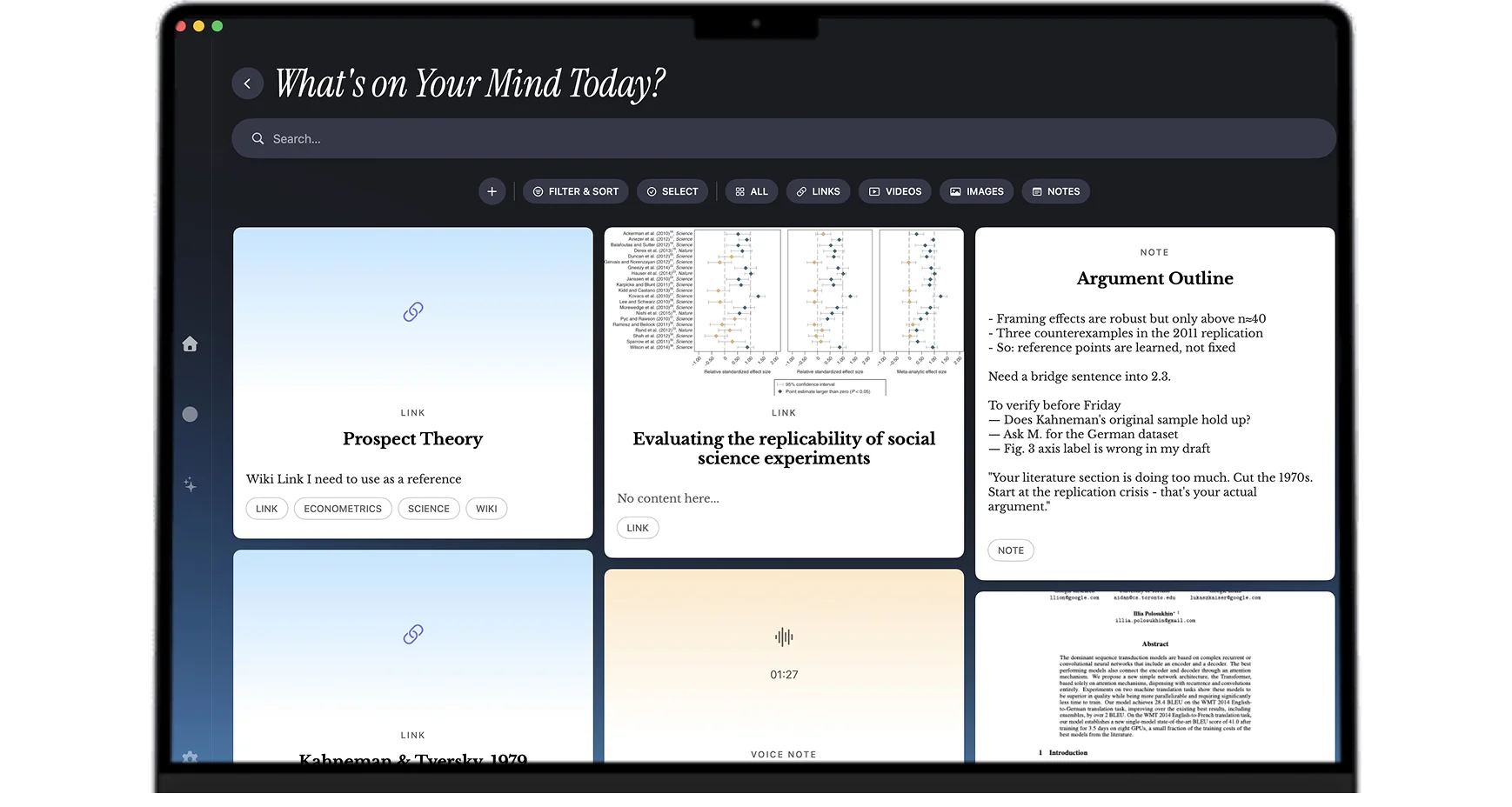
Years of papers, datasets, tables and figures, interview transcripts, fieldwork voice memos, advisor margin notes, conference recordings, chapter drafts, and side rabbit holes that turn into real papers. Mindly captures every format through one shortcut, AI auto-organizes the whole research arc by topic and method, and semantic search finds the right citation across PDFs, audio, and text together. The note-taking is one piece; the actual product is an AI research library.
What you get
A dissertation outlives every notebook and folder system. Mindly keeps years of reading and writing connected and findable.
Ask questions across hundreds of saved papers and notes, grounded in your own library.
The mind map keeps arguments, sources, and chapters linked so nothing you read is wasted.
Everything you saved stays searchable, however long ago you saved it.
Saves are tagged and summarized on arrival, so the system holds up under deadline pressure.
PhD setups
Drop every paper, pre-print, and book chapter into one feed as you find them. New papers from arXiv or RSS, recommendations from your advisor, citations chased from another paper. AI tags by topic and method so re-entry after a break is fast. By year three the lit review writeup happens by walking through the tagged clusters, not by chasing memories.
Keep one note per chapter with a running outline, key arguments, working claims, and links to the papers and quotes you will cite. The chapter note becomes the thinking surface where the structure emerges; when you finally write the prose draft, the scaffold has been growing for months and the actual writing is faster.
Save feedback PDFs and meeting notes next to the chapter they touch. Voice-memo the post-meeting debrief while it is fresh, so that the implicit feedback (what your advisor was really worried about, what they were hinting at) gets captured before it fades. Revisions never lose the context that motivated them.
Tangents that show up during the main project: an unrelated method you read about, a phenomenon you noticed in your data, a question that emerged from a conference talk. Mindly tags these without polluting the main thesis line. Some of them turn into your job market paper, your second-author collaboration, or the empirical chapter that ended up in the dissertation after all.
Three months before the defense, search Mindly for "everything I have on methodological choices" and review the year-by-year evolution of your thinking. Practice questions go in as new notes tagged by chapter. The mind map of your work becomes the rough storyboard of the defense talk. The library that took five years to build pays back in the three months you actually need it.
In the final year, knowing where you are headed (academic job market, industry research, policy work, applied data role) shapes how you organize. Mindly holds the dissertation material plus the job talk drafts plus the application materials plus the reading lists for the new field. One library for the PhD plus the transition out of it.
Common questions
For PhD students who need a library that survives a five-year arc, handles mixed media (papers, voice memos, interview transcripts, draft writing), and stays organized without daily maintenance, Mindly is the closest fit. The key advantages over Notion (too workspace-shaped), Obsidian (too configuration-heavy), or Roam (too block-outline-shaped) are that AI handles tagging and synthesis automatically, voice memos transcribe and join the library, and the multi-year structure emerges from the saves rather than requiring you to design it upfront.
The tag vocabulary in Mindly converges around your actual research topic as your library grows. By year three, the tags reflect the methods, the literature, and the arguments you actually work with, not the generic categories you might have set up in year one. Search performance does not degrade as the library scales into the thousands of items. The mind map handles long-running graphs without becoming unreadable. The AI summary on every paper means re-entry after a break is fast. The architectural choices behind these behaviors are specifically designed for the multi-year arc, not retrofitted from a short-project tool.
Yes, and most PhD students who switch keep both. Zotero (or your existing citation manager) handles the bibliographic data and citation insertion in your word processor. Mindly handles the actual content layer: PDF reading, AI summaries, voice memos, interview transcripts, draft writing, and synthesis. The two stack cleanly because they do different jobs. Adding Mindly does not break the citation pipeline you already rely on.
Your library lives on your Mac in a Mindly directory. AI processing happens over encrypted channels and content is not retained on Mindly servers after the request completes. For most PhD privacy requirements (NDA-bound interview transcripts, embargoed manuscripts, advisor feedback that should stay private, peer review in progress) the on-device library plus the no-retention AI policy is the right combination. For research subject to specific regulatory frameworks (HIPAA, GDPR with sensitive personal data, certain country-specific research ethics rules), check the privacy policy and your IRB protocol before processing identifiable content through cloud AI.
Nothing. The library is on your Mac in a Mindly directory. It moves with the laptop. There is no institutional license tied to your specific university account, no migration project required for a job change, no vendor lock-in. After the PhD, the same library carries forward into your next role: academic postdoc, faculty position, industry research, applied data work, policy, or independent work. The years of accumulated reading and thinking come with you regardless of where you go next.
Go deeper
The full playbook behind this page: the reasoning, the habits, and answers to the questions this page does not cover.
Read the guideInstall Mindly free for Mac. Pull one open chapter into it, drop the next round of reading in, and watch the structure form itself. The library you build in the first month earns the rest of the program.